How to Reduce Notification Anxiety With a Notification Audit
The Silent Epidemic of Notification Anxiety: Why Our Devices Are Stressing Us Out (and What to Do About It)
We live in an era of constant connection, where a quick glance at our phones can provide a snapshot of our entire digital world. Email, social media, news alerts, app updates – they all vie for our attention, promising important information or, at the very least, a momentary distraction. But for many, this constant barrage isn’t empowering; it’s overwhelming. This is notification anxiety: the subtle, often subconscious dread or stress associated with the sheer volume and unpredictable nature of digital alerts. It’s the phantom vibration, the urge to check even when nothing has buzzed, the underlying tension that hums beneath our focus. And it’s not just a personal quirk; emerging research, like a 2025 academic paper examining detection-risk-related anxiety in audit scenarios, suggests that pressure and anxiety stemming from constant monitoring and alert systems are measurable workplace factors, not just individual feelings. While this research focuses on the auditing world, the underlying mechanism of stress from perceived constant vigilance resonates deeply with our everyday digital lives.
The Brain on Alerts: A Vicious Cycle
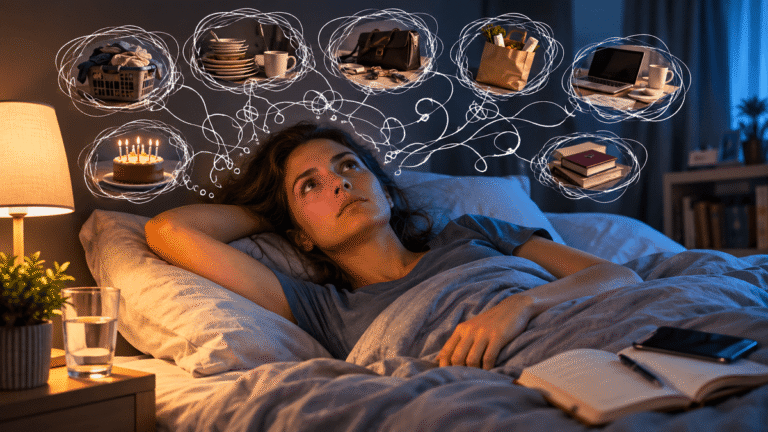
Our brains are wired for novelty and reward. Each notification, whether it’s a “like” on a post or a new email, offers a tiny hit of dopamine. This creates a powerful, addictive loop. We crave the next hit, leading us to check our devices more frequently. But this constant switching of attention comes at a high cost. Every time we disengage from a task to check a notification, it takes precious time and mental energy to re-engage fully. It fragments our focus, erodes our deep work capabilities, and leaves us feeling perpetually scattered. This isn’t just about productivity; it’s about our mental wellbeing. The constant “on-call” feeling erodes boundaries between work and personal life, leading to burnout and a pervasive sense of never being truly caught up. It’s a vicious cycle where the very tools designed to keep us informed end up making us feel perpetually behind.
Audit Your Digital Landscape: A Proactive Approach to Notification Overload
Just as internal audit teams are being urged to make ratings drive action, not fear, we need to apply a similar principle to our personal digital lives. Instead of letting notifications dictate our anxiety, we need to proactively take control. This isn’t about eliminating notifications entirely (though for some, that might be a welcome relief!), but about intelligently curating what gets our attention and when. Think of it as a personal digital audit, preparing yourself year-round rather than scrambling when the anxiety hits.
Step-by-Step: Taking Inventory
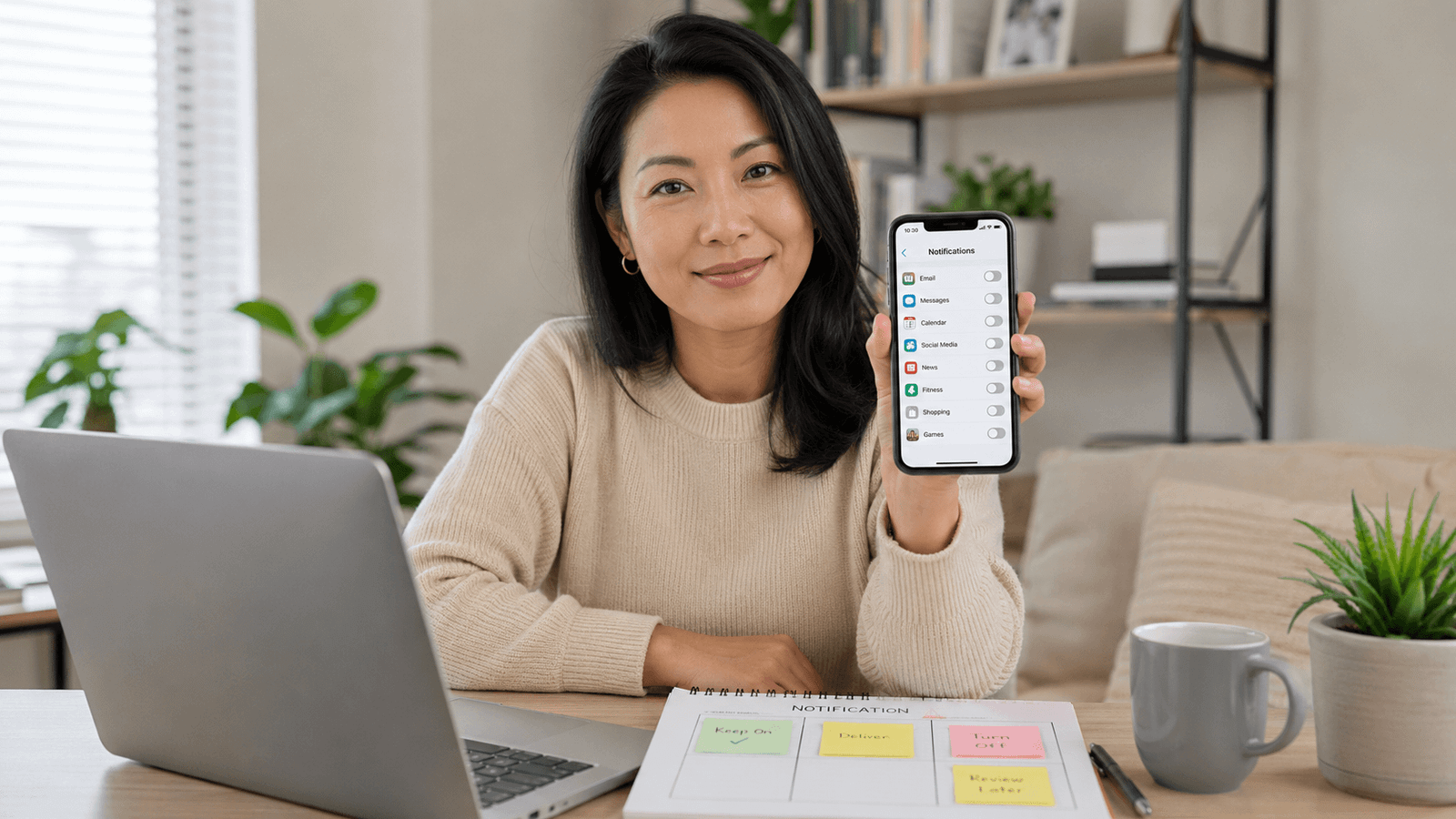
- The Notification Census: Start by identifying every single app and service that sends you notifications. This might seem daunting, but it’s crucial. Go into your phone’s settings (both general notification settings and individual app settings) and make a list. Don’t forget desktop notifications from browsers and specific software.
- Categorize and Conquer: For each notification source, ask yourself:
- Is this truly time-sensitive?
- Does this notification provide genuine value or just a distraction?
- Could I get this information another way (e.g., checking an app deliberately a few times a day)?
- Does this notification cause me more stress than benefit?
- Is this notification for something I can actually act on immediately, or is it just information?
- The “Keep, Mute, Delete” Rule: Based on your categorization, make a decision for each notification:
- Keep (with caution): For truly essential, time-sensitive alerts (e.g., critical work messages, emergency alerts). Even here, consider if a sound and a banner are necessary, or if a silent banner suffices.
- Mute (strategically): For things you want to know about but don’t need immediate alerts for. This could be social media likes, promotional emails, or news updates. Many apps allow you to turn off sounds and vibrations but keep banners or badges.
- Delete/Disable: For notifications that offer no real value, are purely distracting, or actively contribute to your anxiety. Be ruthless. If you haven’t used an app in months, or if its notifications are consistently irrelevant, delete the app or completely disable its alerts.
Beyond the Buzz: Crafting Intentional Notification Rules
Simply turning things off is a good start, but a more sophisticated approach involves setting up intentional rules for when and how you receive alerts. This moves us away from a reactive stance to a proactive, prepared mindset, much like how new audit regulations in 2026 are focusing on clearer oversight and risk management rather than ad hoc processes.
The Power of “Do Not Disturb” (and its smarter cousins)
- Scheduled Silence: Don’t just enable “Do Not Disturb” (DND) at night; schedule it for periods of deep work, family time, or even during your commute if you want to avoid screen time. Most devices allow you to whitelist specific contacts to ensure truly urgent calls get through.
- Focus Modes (iOS) / Digital Wellbeing (Android): These features are your secret weapons. They allow you to create custom profiles for different activities (e.g., “Work,” “Reading,” “Sleep”). In “Work” mode, perhaps only your communication apps and work-specific alerts are allowed. In “Reading” mode, everything else might be silenced. This helps you deliberately choose what enters your attention sphere based on your current task or intention.
- App-Specific DND: Many productivity and communication apps offer their own notification settings that can override system-wide DND. For instance, you might set a particular project channel in a team messaging app to be silent outside of working hours, even if your general phone DND isn’t active. If you use an app like Hold My Thought for your everyday tasks, you can customize its reminder settings to fit these focused blocks, ensuring you only get nudges for high-priority items when you’re ready to tackle them. This level of granular control is key to reclaiming your attention.
The Batching Benefit: Checking on Your Terms
- Email Blocks: Instead of letting email notifications dictate your day, schedule specific times to check your inbox (e.g., 9 AM, 1 PM, 4 PM). Close your email client outside of these blocks. You’ll be surprised how much less urgent everything feels when you’re not constantly interrupted.
- Social Media Slots: Treat social media like entertainment: something you choose to engage with during breaks, not something that pulls you in whenever it pleases. Turn off all social media notifications and only check apps deliberately at designated times.
- News Digests: Instead of real-time news alerts, consider subscribing to daily or weekly news digests. This allows you to stay informed without the constant stream of breaking news anxiety.
The Psychology of Less: Why Reducing Notifications Actually Increases Productivity and Calm
It might seem counterintuitive to reduce sources of information, but the mental benefits are profound. This isn’t just about avoiding annoyance; it’s about optimizing your brain’s capacity for focus and reducing cognitive load. Think of it like a tax audit where preparedness is the main anxiety reducer – having everything in order before the pressure hits. By preemptively managing your notifications, you reduce the “audit pressure” on your brain.
Reclaiming Your Attention Span
- Deep Work Resurgence: Without constant interruptions, your brain has the space to enter a state of “deep work” – concentrated, uninterrupted focus on a single task. This is where truly meaningful and high-quality work gets done. Studies consistently show that multitasking is a myth; our brains simply switch rapidly between tasks, and each switch incurs a “switching cost” that reduces efficiency and increases errors.
- Reduced Cognitive Load: Each notification, even if you don’t act on it, still requires your brain to process it. “What was that? Is it important? Do I need to respond?” This constant background processing is exhausting. By reducing the volume, you free up mental bandwidth, leading to less fatigue and greater mental clarity.
- Enhanced Decision-Making: When your mind isn’t fragmented, you’re better equipped to make thoughtful decisions, solve complex problems, and engage in creative thinking. The anxiety induced by constant alerts can actively impair these higher-level cognitive functions.
The Emotional Payoff: From Anxious to Engaged
- Lower Stress Levels: The unpredictable nature of notifications is a constant low-level stressor. Knowing that you’ve controlled the influx of information significantly reduces this ambient stress. You regain a sense of agency over your digital life.
- Improved Mood: When you’re not constantly feeling behind or interrupted, your overall mood tends to improve. There’s less frustration, less overwhelm, and more satisfaction from focused accomplishment.
- Greater Presence: Reducing digital interruptions allows you to be more present in your real-world interactions and experiences. Whether it’s a conversation with a loved one or a moment of quiet reflection, your mind isn’t half-expecting the next buzz.
Sustaining the Silence: Making Notification Management a Habit
Like any good audit process, managing notification anxiety isn’t a one-and-done task. It requires ongoing review and adaptation. As new apps emerge or your priorities shift, your notification strategy will need to evolve.
Regular Review and Refinement
- Monthly Check-in: Schedule a monthly “notification audit” in your calendar. Use this time to revisit your settings across all devices. Are there new apps sending unwanted alerts? Have your priorities changed? Is there anything you can further streamline?
- Listen to Your Brain: Pay attention to how different notifications make you feel. Does a particular app consistently trigger anxiety or distraction? That’s a strong signal to re-evaluate its notification privileges.
- Experimentation is Key: Don’t be afraid to try different approaches. What works for a friend might not work for you. Start by turning off everything non-essential for a week and then gradually reintroducing only what truly adds value. You might find you missed very little.
Tools to Help You Stay on Track
- Productivity Apps with Custom Reminders: Tools like Hold My Thought are designed to help you capture, organize, and prioritize tasks without overwhelming you. Its customizable reminders mean you get nudges when you want them, for what you deem important, rather than being at the mercy of every app’s default settings. This helps you build a system where essential tasks are acknowledged and addressed without generating constant noise.
- Usage Tracking Apps: Many phones have built-in “Screen Time” or “Digital Wellbeing” features that show you how much time you spend on each app and how many notifications you receive. Reviewing these regularly can be a stark reminder of where your attention is being pulled.
- Set Physical Boundaries: Sometimes, the best way to manage notifications is to simply put your phone in another room or turn it face down during focused periods. This creates a physical barrier that reinforces your digital boundaries.
Ultimately, reducing notification anxiety is about intentional living. It’s about deciding what truly deserves your attention and creating systems that support that decision. It’s a continuous process of calibration, leading to a calmer, more focused, and ultimately more productive you.